Renewing Nevada OHV Registration Online
The desert sun is calling, the trails are beckoning, and your off-highway vehicle (OHV) is primed for adventure. But wait—that little decal on your quad or side-by-side might be staring at you with an expired date. Forgetting to renew your Nevada OHV registration is a common frustration, often leading to last-minute scrambles, potential late fees, or even the unfortunate experience of a ranger stopping your fun. This comprehensive guide is here to walk you through the entire process of renewing your Nevada OHV registration online, making it as smooth and stress-free as a fresh set of tires on a graded dirt road.
The Frustration of Renewal Deadlines and the Online Solution
We've all been there: you're planning an epic weekend ride out near Sand Mountain or Logandale Trails, only to realize your OHV registration expired last month. The sudden panic, the rush to find the DMV, and the worry about getting pulled over can quickly overshadow the excitement of hitting the trails. This is a very real scenario for many riders, and it's precisely why understanding the online renewal process is such a game-changer. It takes the stress out of keeping your machine legal and ensures your adventures remain uninterrupted.
Why Online Renewal is a Game-Changer for Busy Riders
Life in Nevada, whether you're in the bustling city of Las Vegas or the more laid-back pace of Elko, moves fast. Between work, family, and fitting in those precious moments on the trails, finding time to visit a physical Department of Motor Vehicles (DMV) office can feel like an impossible task. The thought of waiting in line, filling out paperwork by hand, and juggling schedules just for a decal renewal is enough to make anyone sigh.
This is where online renewal shines. It offers the ultimate convenience, allowing you to handle your OHV registration from the comfort of your home, at any time of day or night. Whether you're a night owl catching up on paperwork after the kids are asleep or an early bird knocking out tasks before the morning commute, the online portal is always open. This flexibility is invaluable for preventing those costly lapses in registration and keeping your machine trail-ready. It's about empowering you to take control of your OHV paperwork on your own terms, rather than having to conform to the DMV's hours.
Common Pitfalls of Forgetting Your OHV Renewal
The biggest pitfall of letting your OHV registration lapse is, of course, the potential for a citation. Deputies and park rangers patrolling popular areas like Nellis Dunes or Amargosa Big Dune are vigilant about checking for valid decals. Riding with an expired decal isn't just a minor oversight; it can lead to fines and a sour end to your day. Furthermore, Nevada has a [Nevada's $10 Late Fee on an Expired OHV Decal] that adds an unnecessary cost to your renewal if you're not on top of things.
Beyond the monetary penalties, there's the inconvenience. Imagine driving all the way out to a trailhead, unloading your machine, and then being told you can't ride because your registration is out of date. It's a waste of time, fuel, and enthusiasm. Staying current with your renewal means you can focus on the ride itself, not on checking your rearview mirror for law enforcement. It also reflects responsible OHV ownership, contributing to the funds that maintain the very trails you love.
What You'll Need Before You Click "Renew"
Before you even open your web browser, gather a few key pieces of information. This proactive step will save you a lot of time and potential frustration during the online process. You'll primarily need details from your existing registration. This typically includes your OHV number, which is usually prominently displayed on your current registration card and often embedded in the decal itself. You'll also need the owner's information as it appears on the current registration, including your name and address.
It’s a good idea to have your current Nevada OHV decal number handy. This unique identifier will be crucial for the system to locate your specific vehicle and its registration record. You might also be asked for your driver's license number or other personal identifying information to confirm your identity as the registered owner. Having these details laid out on your desk before you start will make the online process feel seamless. You can also review previous paperwork you might have stored, perhaps using a document organization system from a service like LawDepot, just to ensure all your personal details are consistent.
A Step-by-Step Walkthrough of the Nevada Online Renewal Process
Navigating government websites can sometimes feel like trying to find your way through a maze of unmarked trails. However, the Nevada DMV has streamlined its online OHV renewal process to be surprisingly user-friendly. We'll break down each step, so you know exactly what to expect, making your renewal as easy as cruising down a well-maintained dirt road. This clarity will help you avoid any detours or dead ends in the digital world.
Navigating to the Right Corner of the DMV Website
Your journey begins on the official Nevada DMV website. Look for a section specifically dedicated to Off-Highway Vehicles (OHV). Sometimes this is under "Vehicle Registration" or a separate "OHV" tab. Once you locate the OHV section, you'll typically find an option for "Renew Registration" or "Renew OHV Decal." It's critical to ensure you're on the official state website to protect your personal and financial information. Avoid clicking on links from unofficial sources or third-party sites that claim to process renewals, as these could be scams or charge excessive fees.
Once you click on the renewal link, the system will likely prompt you to input some identifying information. This is where those details you gathered earlier come into play. You might be asked for your current OHV decal number, the last four digits of the VIN (Vehicle Identification Number) of your machine, or even your existing OHV number. Accuracy is key here, as any typos could lead to the system not finding your record, requiring you to start over. Always double-check your entries before proceeding.
Inputting Your Information Accurately
After successfully navigating to the renewal portal and providing initial identification, you'll be directed to a page displaying your OHV's current registration information. This is your chance to verify that all the details—your name, address, and the vehicle specifics—are correct. If you've moved recently, this is also the place where you might need to update your address. An incorrect address could result in your new decal being mailed to the wrong location, causing significant delays and further headaches. [Changing Your Address on a Nevada OHV Registration] is something you want to handle proactively.
The system will also ask you to choose your desired renewal period: [One Year or Three Years in Nevada]. Nevada typically offers both options, with a different associated [Nevada OHV Registration Fee for One Year] and [Nevada OHV Registration Fee for Three Years]. Consider your riding habits and how long you plan to keep the machine. Opting for the three-year renewal can save you the hassle of annual renewals, offering longer-term peace of mind. Confirm your selection, and the system will calculate the total fee due.
Understanding the Payment Options and Associated Costs
Once you've verified all your information and selected your renewal period, the system will take you to the payment screen. The Nevada DMV online portal typically accepts major credit and debit cards. While the state's registration fees themselves are set, be aware that there might be a small processing fee added by the online payment provider. This is standard for many online government services and helps cover the cost of processing secure electronic transactions. The exact amount of this fee will be clearly displayed before you finalize your payment.
Make sure your payment information is entered correctly. A declined transaction could mean your renewal isn't processed, leaving you still exposed to riding with an expired decal. Once your payment is successfully processed, the system will provide you with a confirmation number. It's crucial to save this confirmation, either by printing it or taking a screenshot, as it serves as your immediate proof of renewal. This digital receipt is vital and often includes information about [What a Nevada OHV Decal Actually Proves] when displayed.
Here's a quick reference for common items needed for renewal:
| Item Needed | Online Renewal | Mail-In Renewal |
|---|---|---|
| Current OHV Decal Number | ✓ | ✓ |
| Last 4 Digits of OHV VIN | ✓ | ✓ |
| Owner's Full Name | ✓ | ✓ |
| Current Mailing Address | ✓ | ✓ |
| Driver's License Number | ✓ | ✓ |
| Payment (Credit/Debit Card) | ✓ | (Check/MO) |
| [What Nevada's OHV Renewal Form Asks For] | (Digital Input) | ✓ |
What Happens After You Renew Online and When to Expect Your Decal
You've clicked "submit," the payment went through, and that wave of relief washes over you. But what's next? The online renewal process doesn't instantly materialize a new decal on your machine. There's a short period of waiting, and it's helpful to understand what to expect during this time. Knowing the follow-up steps can save you anxiety and ensure you're prepared for your next trail adventure.
The Digital Confirmation and Your Temporary Proof of Registration
Immediately after your online renewal is successful, you should receive a digital confirmation. This is often an email to the address you have on file, or a screen that appears after payment, summarizing your transaction. This confirmation is more than just a receipt; it often serves as temporary proof that you have renewed your registration. While it's not the physical decal, it can be useful in a pinch if you get stopped by a ranger before your new decal arrives.
It's highly recommended to print this digital confirmation and keep a copy with your vehicle's existing paperwork, or at least have it readily accessible on your phone. This temporary proof, combined with your expired decal, demonstrates that you have taken the necessary steps to remain compliant. Remember, [Nevada OHV Registration Processing Times] can vary, so having this digital backup is a smart move for any rider. Some riders even store digital copies of these confirmations in secure online document services, like those offered by LawDepot, for easy retrieval.
When Your New Decal Arrives in the Mail
The DMV will process your renewal and mail out your new decal. The timeline for receiving your physical decal can fluctuate based on the volume of renewals and postal service speeds. Generally, you can expect your new decal to arrive within a few weeks. It's important to monitor your mailbox during this period, especially if you have upcoming riding trips planned.
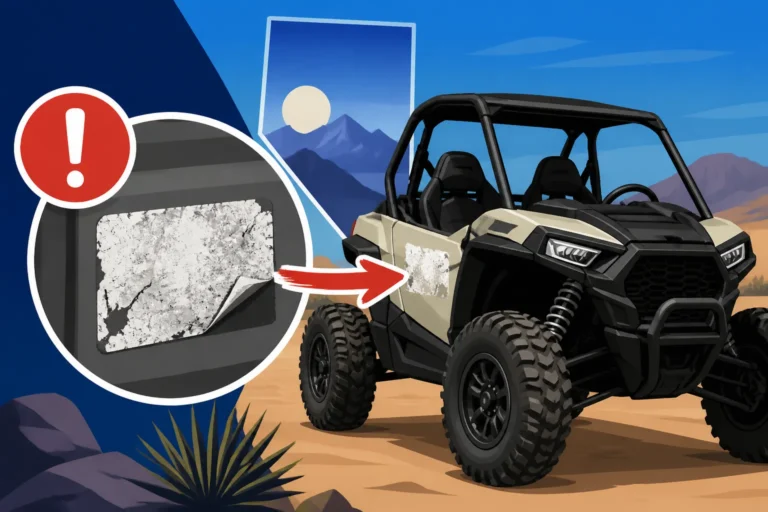
Once your new decal arrives, carefully inspect it to ensure all the information is correct and that it matches your OHV. Then, it's time to affix it to your machine in the proper location, typically the left side or rear, as outlined in [Left Side or Rear: Where the Decal Goes]. Properly applying the decal ensures it's clearly visible to law enforcement and helps avoid any confusion out on the trails. An official decal is the definitive proof of your active registration.
Troubleshooting Common Online Renewal Issues
While the online renewal system is designed to be straightforward, issues can sometimes arise. One common problem is the system not being able to find your OHV record. This could be due to a typo in the information you entered, or perhaps an outdated address that needs to be updated before the system can verify your ownership. If you encounter this, double-check all your input. If the problem persists, it may be necessary to contact the [The Nevada DMV OHV Section] directly for assistance.
Another issue can be payment processing errors. If your payment is declined, verify your card information and ensure sufficient funds are available. Sometimes, banks flag online government transactions as suspicious, so a quick call to your bank might resolve the issue. Technical glitches, though rare, can also happen. If the website seems unresponsive or gives an error message, try clearing your browser's cache, using a different browser, or attempting the renewal at a later time. Patience and persistence are key, but don't hesitate to reach out to the DMV if you're truly stuck.
Keeping Your Registration Up-to-Date: Proactive Tips and Best Practices
Renewing your OHV registration shouldn't be a once-a-year panic. With a few proactive habits, you can ensure your decal is always current, allowing you to focus purely on the joy of riding. Being organized about your OHV paperwork is a small effort that yields big rewards in peace of mind. These tips are especially useful when considering how quickly time flies between renewals.
Setting Reminders Beyond the DMV's Notifications
While the DMV does generally send out [Whether Nevada Sends an OHV Renewal Reminder], these can sometimes get lost in the mail or overlooked in a busy inbox. Don't rely solely on their reminder. Take a proactive approach by setting your own personal reminders. Mark your calendar, set a recurring notification on your phone, or add it to a digital task manager about a month or two before your current decal's expiration date. This gives you ample time to complete the online renewal process without feeling rushed.
Consider placing a small, non-damaging sticker on your OHV's dashboard or handlebar with the expiration month and year, as a constant visual cue. Some riders even use the anniversary of their OHV purchase as a reminder to check their registration status. Establishing a personal system ensures that even if official reminders go astray, you'll still be prompted to take action, preventing your [When a Nevada OHV Decal Expires] from catching you off guard.
Handling Lost Decals or Registration Cards After Renewal
Sometimes, even after renewing, things go missing. Perhaps your new decal gets lost in the mail, or your physical registration card somehow disappears from your glove box. This can be frustrating, especially if you're planning a trip. Fortunately, Nevada has a process for replacing these important documents. If you don't receive your decal within the expected timeframe, or if it's lost, you can usually apply for a replacement.
This often involves submitting a specific form and paying a small fee. You might be able to find the necessary form on the DMV website, or you may need to visit an office. While it's an extra step, getting a replacement ensures you always have valid physical proof of registration. Keeping digital copies of your original renewal confirmation and other ownership documents, perhaps in a secure platform like LawDepot, can make this process smoother by providing all the necessary reference numbers quickly. [Ordering a Replacement Decal From Carson City] is an option if your decal doesn't arrive as expected.
Why an Updated Address is Critical for Smooth Renewals
We touched on this earlier, but it's worth emphasizing: an accurate mailing address on file with the Nevada DMV is absolutely critical for seamless OHV renewals. If your address is outdated, your renewal reminder, and more importantly, your new decal, will be sent to the wrong location. This creates a cascade of problems, from delayed decals to needing to track down mail at an old residence or apply for a replacement.
If you move, make it a priority to update your address with the DMV for all your registered vehicles, including your OHV. This can often be done online through a separate portal on the DMV website, or by submitting a change of address form. Taking a few minutes to update your information ensures that all vital communications and documents reach you promptly, simplifying future renewals and keeping your OHV adventures on track.
Disclaimer
This article is for general informational purposes only and does not constitute professional advice. Laws, prices and regulations vary by location and change over time. Consult a qualified professional for guidance on your specific situation.